If you work with GIS data in the power or infrastructure sector, especially for Overhead Transmission Line (OHTL) projects, you’ve likely come across KML and KMZ files. Though similar, these file formats serve very different purposes.
This article explains:
- The difference between KML and KMZ files
- Why KMZ files are required in OHTL projects
- How to create a KMZ file for plan and profile submissions
- Practical tips to make your submissions more effective
What is the Difference Between KML and KMZ?
KML (Keyhole Markup Language):
- A plain text XML format
- Stores geospatial elements like points, lines, and polygons
- Readable and editable in text editors and GIS tools like Google Earth or QGIS
- Ideal for raw data editing and analysis
KMZ (Zipped KML):
- A compressed file that contains one or more KML files, along with images, icons, overlays, and other resources
- Opens in Google Earth with all embedded content
- Ideal for sharing complete map presentations or project files
- Smaller in size, faster to load, and portable
In short: KML is used for creating and editing spatial data; KMZ is used for packaging and sharing that data in a viewer-friendly format.
ALSO READ: Right-of-Way (ROW) Width in Transmission Lines: Definition, Calculation & Example(380kV)
Why KMZ Files Are Needed in OHTL Projects
In OHTL (Overhead Transmission Line) projects, authorities and reviewers often request KMZ files along with plan and profile drawings. Here’s why:
1. Visual Review on Satellite Imagery
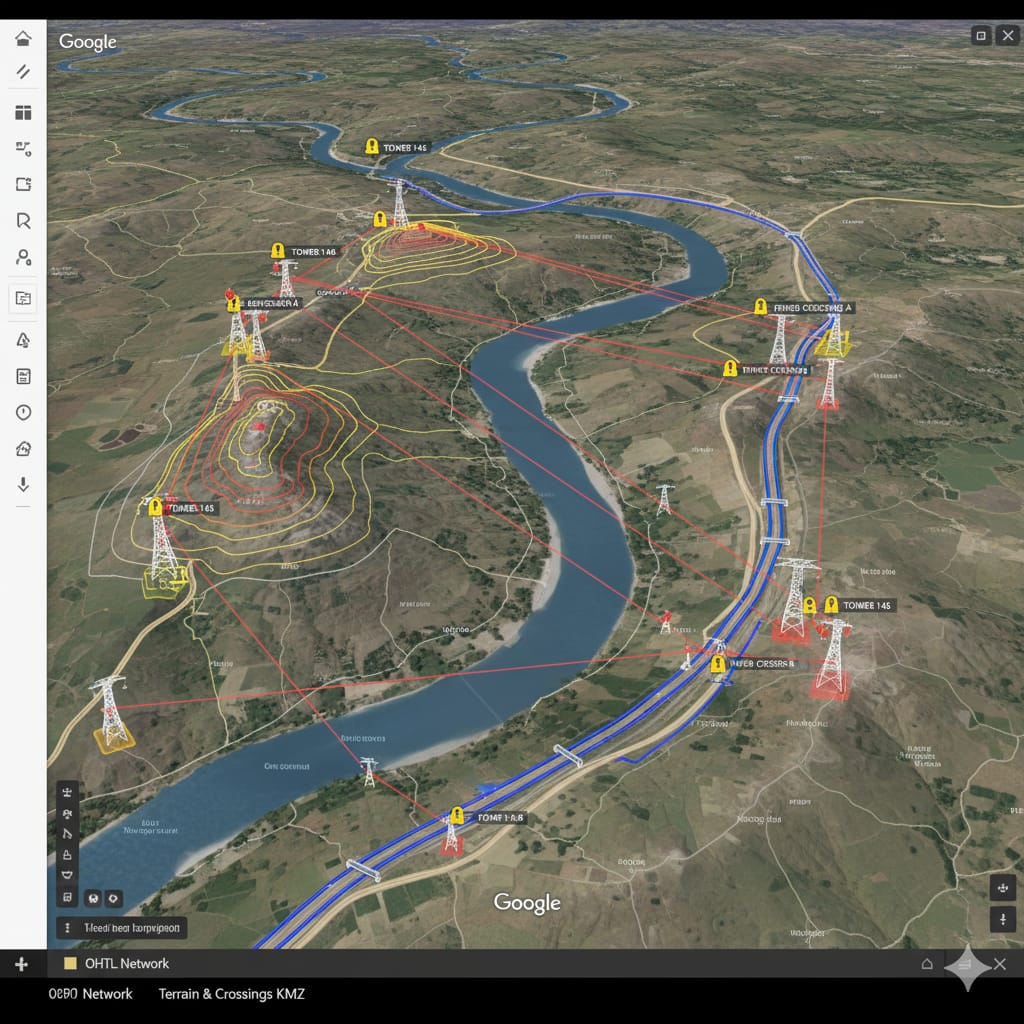
KMZ files allow drawings to be overlaid on Google Earth. This helps reviewers see the transmission line route, tower locations, terrain, and surrounding features directly on high-resolution satellite imagery. It provides clear visual context that CAD or PDF files alone cannot offer.
2. Contains All Necessary Resources
KMZ files include not just the line path or tower points, but also:
- Custom tower icons
- Legends and labels
- Transparent plan/profile drawing overlays
- Georeferenced alignment and structure coordinates
All of these are bundled in one file, making the review process easier and faster.
3. Required for Plan & Profile Drawing Submissions
KMZ is now a common requirement during:
- Route approval
- Right-of-Way (ROW) clearance
- Feasibility studies
- Tender submissions
It enables engineers, GIS professionals, and government reviewers to evaluate spatial accuracy, crossing details (roads, rivers, railways), and tower placements without requiring any specialized software.
How to Create a KMZ File
Method 1: Using Google Earth Pro
- Open Google Earth Pro on your computer.
- Import your existing KML file or create your map directly.
- Group all layers into a folder (e.g., lines, towers, images).
- Right-click the folder in the ‘Places’ panel and select “Save Place As”.
- Choose KMZ format and save the file.
This is the most reliable method for creating KMZ files, especially when your project includes overlays and icons.
Method 2: Manual Method
If you want to create a KMZ file manually:
- Prepare your .kml file, and gather all associated images/icons.
- Place them in a single folder.
- Compress (zip) the folder.
- Rename the file extension from
.zipto.kmz.
Make sure all file paths inside the KML file correctly reference the images or icons included in the same folder.
Method 3: Using Online Tools
You can also use online tools like MyGeoData or KML2KMZ converters to upload your KML file and export it as KMZ. However, these tools are not ideal for projects involving overlays or large images.
Pro Tips for Creating KMZ for OHTL Projects
- Georeference your plan/profile drawings before overlaying them in Google Earth.
- Use transparent PNG images so that satellite imagery remains visible underneath.
- Label tower locations clearly with unique IDs (e.g., T-01, T-02).
- Keep file sizes optimized to avoid lag during review.
- Always test your KMZ file in a fresh Google Earth Pro instance before submission.
Final Thoughts
KML and KMZ files may seem similar, but their roles are very different in real-world applications. While KML is ideal for creating and editing geospatial data, KMZ is the standard for sharing polished, georeferenced transmission line data—especially for plan and profile submissions in OHTL projects.
Learning to properly create and use KMZ files ensures that your data is clear, presentable, and aligned with reviewer expectations—saving time, avoiding confusion, and improving approval chances.