
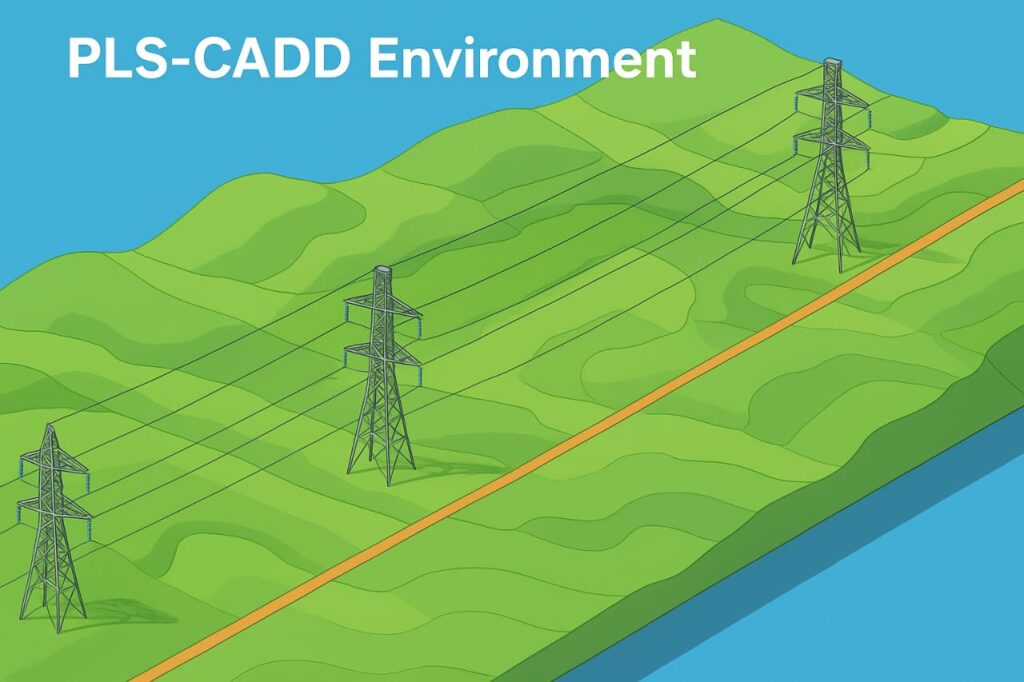
🏗️ What Is PLS-CADD?
PLS-CADD (Power Line Systems – Computer-Aided Design and Drafting) is a specialized software used worldwide for the analysis and design of overhead electric power lines.
Developed by Power Line Systems (PLS, USA), it provides a unified platform that brings together survey data, structural design, sag-tension calculations, and drafting tools—all in a single engineering environment.
Instead of using multiple standalone programs for each design stage, PLS-CADD integrates the entire process — from route selection to final construction drawings — ensuring accuracy, efficiency, and seamless teamwork among surveyors, designers, and engineers.
💡 Why Learn PLS-CADD?
If you’re an electrical or civil engineer working in the transmission or distribution field, PLS-CADD is one of the most valuable tools you can master.
Here’s why:
- Industry Standard Software – Used by leading utilities and consultants across North America, the Middle East, Europe, and Asia.
- Time Efficiency – Reduces design and drafting time by up to 90%.
- Error Reduction – Automatic checks and visual modeling eliminate manual calculation errors.
- 3-D Visualization – Full 3-D model of terrain, towers, and conductors helps visualize clearances and conflicts.
- Multi-disciplinary Integration – Supports survey, mechanical, and electrical design teams working on the same model.
- Regulatory Compliance – Compatible with international standards such as IEC and CENELEC design methods.
🧰 Core Concept – The 3-D Line Model
At the heart of PLS-CADD lies a 3-Dimensional Model of the power line corridor.
This model includes:
- The terrain (from survey data)
- All structures (towers, poles, guys)
- All conductors and ground wires
- Design criteria such as clearances, loads, and strengths
This single 3-D environment allows the designer to:
- Perform geometric and mechanical analysis
- Check electrical and mechanical clearances
- Produce plan & profile drawings, material lists, and construction reports directly from the model
Everything is connected — when you change something in the design, it automatically updates across all drawings and reports.
🧮 The PLS-CADD Workflow
A typical workflow inside PLS-CADD involves these major steps:
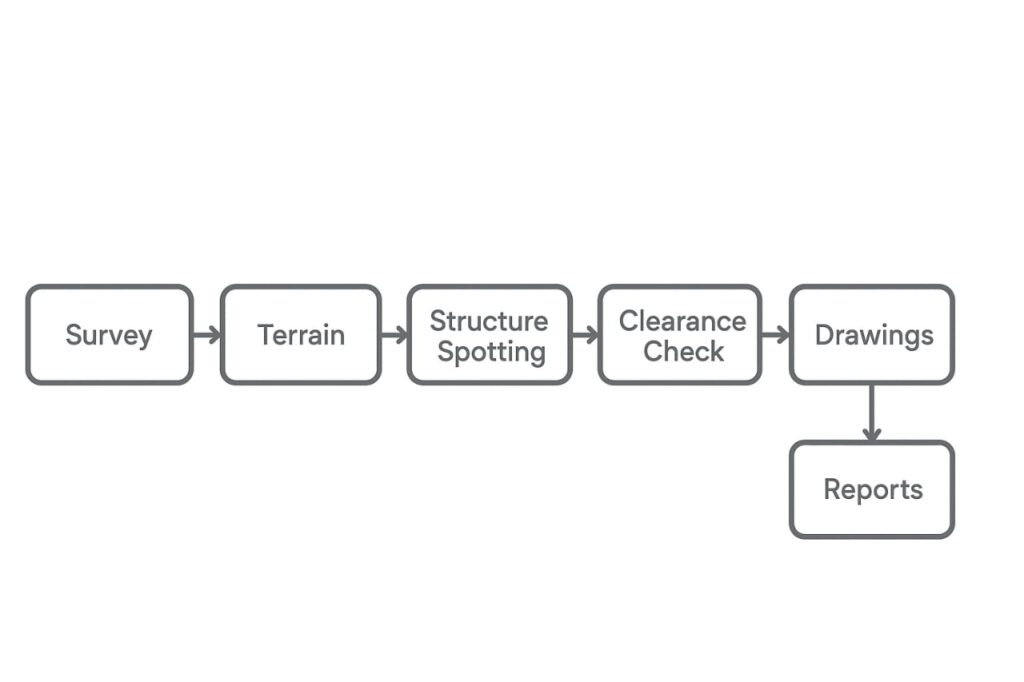
| Stage | Description |
|---|---|
| 1. Survey and Terrain Modeling | Import terrain data in XYZ or PFL format. The program creates a 3-D terrain surface using TIN or contour representation. |
| 2. Route Selection and Alignment | Define the power line alignment, check obstacles, and optimize the route for minimum cost or shortest distance. |
| 3. Structure Spotting | Select structure types (lattice, pole, H-frame) and place them automatically or manually. |
| 4. Sag and Tension Calculations | Compute wire sags, tensions, and clearances under multiple weather cases. |
| 5. Strength and Clearance Checks | Verify that structures, insulators, and conductors meet mechanical and clearance requirements. |
| 6. Drawing and Documentation | Generate plan & profile sheets, 3-D visualizations, and bill of materials automatically. |
| 7. Line Management and Archiving | Save the design in project files, back it up, or export for construction and maintenance use. |
🧱 Key Features of PLS-CADD
Here’s a concise breakdown of what makes PLS-CADD stand out from ordinary CAD tools:
1. Integrated Software Environment
Unlike AutoCAD or GIS platforms that focus only on geometry, PLS-CADD combines:
- Geometric design (tower locations, spans)
- Mechanical design (sag-tension, strength)
- Electrical clearances
- Drafting and reporting
All calculations and drawings are synchronized.
2. Support for Multiple Line Versions
You can design several variations of the same line — for example, one with steel towers and another with concrete poles — and compare costs directly.
3. Data Flexibility with ASCII Files
All data files are stored in readable ASCII format, making it easy to integrate with enterprise databases or import/export to other design systems.
4. International Compatibility
Supports multiple unit systems (SI, Metric, Imperial) and multiple design codes — ideal for use in Middle East, Europe, and North America.
5. Power Line Information Management (PLIM)
The 3-D model supports the concept of PLIM, or Power Line Information Management — an approach that connects all line data (survey, mechanical, electrical, and construction) for future upgrades and maintenance.
📂 Versions of PLS-CADD
Power Line Systems provides several versions depending on user needs:
| Version | Description | Typical User |
|---|---|---|
| PLS-CADD (Standard) | Full version with all terrain modeling, design, and drafting features. | Transmission & distribution design engineers |
| PLS-CADD/LITE | Simplified tool for sag-tension and structure load tree calculations only. | Line design beginners, students, maintenance teams |
| PLS-CADD/SURVEY | Terrain modeling and drafting only; no sag or structure features. | Surveyors and GIS professionals |
| Demo Version | Fully functional but limited to sample terrain models and cannot save files. | Learners and trainees |
🔧 Integration with Other PLS Tools
PLS-CADD can seamlessly connect with:
- PLS-TOWER – for lattice tower analysis and design
- PLS-POLE – for wood, steel, or concrete pole design
- TOWER/POLE Components Libraries – manage insulators, cross-arms, conductors, and fittings
- PLS-GRID – for project management and version control
This ecosystem allows designers to handle everything from single-span distribution lines to 765 kV EHV transmission corridors.
🌍 Real-World Applications
PLS-CADD is used in various fields of power line engineering:
- New Line Design – From feasibility to construction drawings.
- Existing Line Assessment – Analyze old structures under new loading or temperature conditions.
- Upgrading Projects – Check the effect of reconductoring or new fiber (OPGW) installations.
- Educational Use – Universities and training institutes use it to teach line design concepts visually.
🧠 PLS-CADD as a Learning Tool
Even for beginners, PLS-CADD doubles as a powerful teaching platform.
It visually demonstrates:
- How span lengths and angles affect sag and tension
- How structure height and placement impact clearance
- How terrain affects spotting and cost
You can easily switch between Plan, Profile, and 3-D views, making engineering principles tangible instead of theoretical.
🖥️ Example of a 3-D Workflow
Here’s what happens when you open the Demo Line project that comes with the software:
- The Profile View shows the line elevation along the route.
- The Plan View shows the top view alignment with towers.
- The 3-D View combines both, allowing rotation and zoom for inspection.
- Sheets View automatically generates construction drawings that update whenever the design changes.
This integrated visualization makes it easy to identify clearance violations, spot optimization opportunities, and confirm field readiness.
📊 File Types and Data Management
A PLS-CADD project consists of several interconnected files such as:
.xyz– Terrain model.str– Structure database.cri– Design criteria.don– Line geometry.pps– Plan & profile sheets.bak– Complete backup archive
All these are tied together by a project name and folder structure.
Beginners should practice saving, backing up, and restoring small demo projects before starting real designs.
🪜 Learning Path for Beginners
If you are just starting with PLS-CADD, the recommended path is:
- Learn Interface and Views (Plan, Profile, 3-D, Sheets)
- Understand File Organization and Preferences
- Load the Demo Project and Explore
- Modify Display and Units
- Experiment with Structure Spotting and Sag Settings
- Generate Simple Reports
Once you master these, you can progress to sag-tension calculations and structure design using PLS-TOWER or PLS-POLE (covered in later articles of this series).
🧭 Key Takeaways
- PLS-CADD is an integrated 3-D line design platform combining survey, geometry, and mechanical analysis.
- It supports multiple versions (Standard, Lite, Survey) for different engineering levels.
- The 3-D model serves as the foundation for all calculations, drawings, and reports.
- Used by professionals globally for new line design, upgrades, and asset management.
- Perfect for students, trainees, and practicing engineers who want to learn the modern workflow of transmission line design.
✅ Conclusion
PLS-CADD is the cornerstone of modern transmission line design.
By understanding its workflow and 3-D model concept, you set a solid foundation for advanced topics like sag-tension, structure optimization, and construction sheet generation.
Start your journey with the demo project and build your confidence step by step.
📲 Want to Get Enrolled for PLS-CADD Training Courses?
👉 Contact Us on WhatsApp for PLS-CADD and other transmission design programs:
🔗 CLICK HERE TO CONNECT US ON WHATSAPP


Dear Sir,
I hope you are doing well
I want to learn this course because I’m working in OHL Engineer, but this course cost more expensive. So reduce cost .
We are offering 40% offer only limited seats.
Connect us on WhatsApp https://forms.gle/UAs6GDjP3jkj2U1fA